
Top 10 AI Fashion Design Tools in 2026 (And Why WearMind Tops the List)
The 10 best AI fashion design tools in 2026 — ranked by features, pricing, output quality, and workflow fit. Includes honest pros and cons for each.
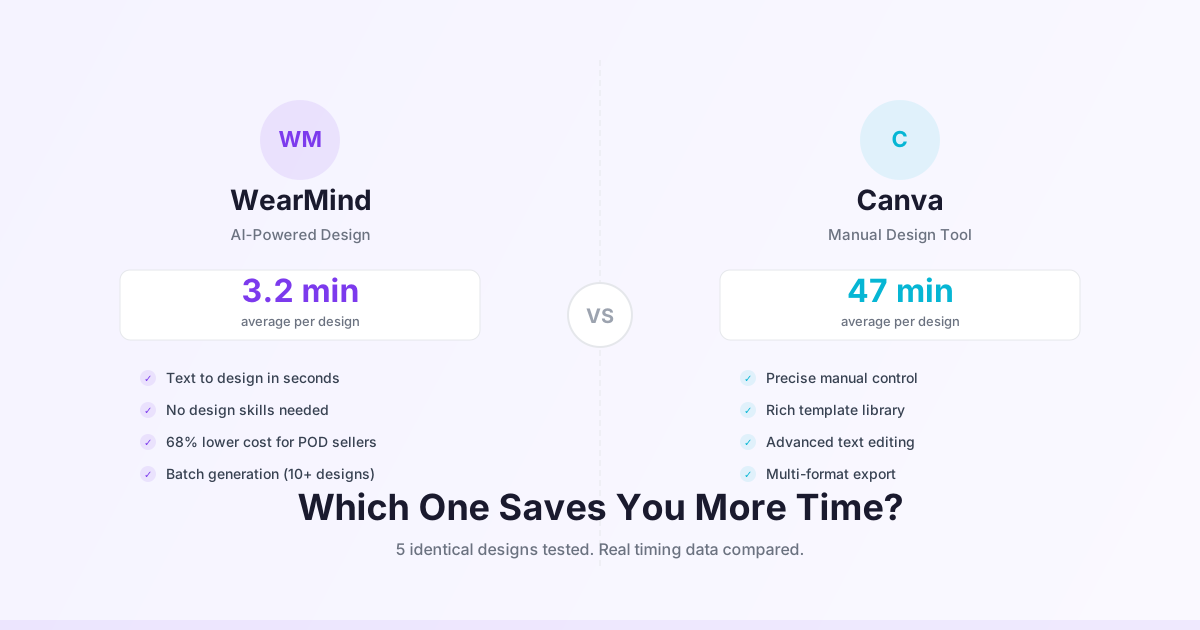
Top 10 AI Fashion Design Tools in 2026 (And Why WearMind Tops the List)
The AI fashion design space has matured fast. In 2024, most tools were general-purpose AI image generators with a fashion use case grafted on. In 2026, there are purpose-built tools with fashion-specific training, virtual try-on, POD integration, and content creation for social channels.
This list covers the 10 tools worth knowing in 2026, ranked by overall utility for fashion brand operators, POD sellers, and clothing designers. We've included honest limitations for each one. WearMind is on the list — and yes, we think it tops it — but we've tried to make the case with specifics rather than marketing language.
1. WearMind
Best for: End-to-end fashion workflow — design, try-on, and video in one tool.
WearMind covers three functions that typically require separate tools: AI clothing design generation, virtual try-on, and AI fashion video. For a POD brand builder or small fashion brand that needs to go from concept to sellable content, the integrated workflow is the practical advantage.
What it does well:
- Generates print-ready clothing designs at 300 DPI from text prompts
- Virtual try-on for tops, hoodies, and dresses in 9-14 seconds
- AI fashion video tuned for TikTok Shop and Instagram Reels
- 25 free credits on signup, no credit card required
- Free first try-on at /virtual-tryon/free without account
Limitations:
- Video clips capped at 8 seconds
- Pants, full outfits, and accessories are limited in current version
- Pattern generation for complex textiles isn't as strong as specialized tools
Pricing: 25 free credits, paid plans from ~$20/month.
Who should use it: Solo brand founders, POD sellers, small fashion teams that need one tool for the complete workflow.
2. The New Black
Best for: Fashion industry professionals working on concept design and collection direction.
The New Black is built for the fashion design profession. Its strength is concept-stage work: mood boards, colorway variations, print pattern generation, and style direction. Output quality on fashion illustration and complex print design is strong.
What it does well:
- Sophisticated print and pattern generation
- Fashion-specific silhouette and concept illustration
- Collections and mood board organization
- Enterprise team features
Limitations:
- No virtual try-on
- No fashion video generation
- Limited print-to-production workflow
- Higher price point, primarily targeting brand and agency use
Pricing: From ~$29/month after trial.
Who should use it: Fashion designers, creative directors, brand agencies working on collection development.
3. Midjourney
Best for: High-quality visual generation for design concept inspiration.
Midjourney isn't fashion-specific, but its general image quality is among the strongest of any AI generator. Fashion designers use it for concept illustration, editorial inspiration, and print pattern generation. The v6 model handles fabric texture and garment drape better than earlier versions.
What it does well:
- Exceptional image quality and artistic range
- Strong community and prompt resources for fashion use
- Versatile — handles everything from editorial to technical flat sketches
Limitations:
- No fashion-specific features (no try-on, no POD integration, no fashion video)
- No transparent background export natively
- Commercial licensing requires paid plan
- Output isn't optimized for print — requires post-processing for POD use
Pricing: $10/month basic, $30/month standard.
Who should use it: Designers who want high-quality concept visuals and can handle file prep and workflow integration themselves.
4. Adobe Firefly (Generative AI)
Best for: Designers already in the Adobe ecosystem who want AI generation integrated with Photoshop and Illustrator.
Firefly integrates directly into Photoshop and Illustrator. For designers who live in Adobe tools, the workflow is smooth — generate in Photoshop, refine in Illustrator, export production-ready files. The Generative Fill feature in Photoshop is particularly useful for adapting designs to different garment shapes.
What it does well:
- Tight integration with professional design tools
- Commercial license on paid Adobe plan
- Generative Fill for iterative design refinement
- Vector output possible via Illustrator integration
Limitations:
- Requires Adobe CC subscription to access commercial features ($55+/month)
- No fashion-specific features
- No virtual try-on or fashion video
- Slower iteration cycle than dedicated AI design tools
Pricing: Included in Adobe CC plans from $55/month. Standalone Firefly credits from $5/month.
Who should use it: Professional designers with existing Adobe workflows.
5. FASHN AI
Best for: Developer API access to virtual try-on for e-commerce platform integration.
FASHN is primarily an API for virtual try-on. If you're building an e-commerce experience where customers try on garments, FASHN provides the API layer. Try-on quality on upper-body garments is competitive.
What it does well:
- Clean API with documentation and SDKs
- Strong try-on quality on fitted tops
- B2B pricing suitable for platform integrations
Limitations:
- No clothing design generation
- No fashion video
- Consumer interface is limited compared to dedicated apps
- API-first means less accessible for non-technical users
Pricing: Per-API-call pricing, free development tier.
Who should use it: E-commerce developers building try-on features into existing platforms.
6. Canva (with AI tools)
Best for: Teams that use Canva for all design work and want AI-assisted clothing design within that ecosystem.
Canva's AI tools (Magic Design, DALL-E integration) can be used for t-shirt and clothing design. The platform's template library and ease of use make it accessible for non-designers. It's not fashion-specific, but it's capable enough for simple designs.
What it does well:
- Extremely easy to use, large template library
- Good for simple text-based or graphic t-shirt designs
- Integration with print services via Canva Print
- Canva Pro covers commercial use
Limitations:
- Free tier restricts commercial use of AI-generated elements
- No virtual try-on
- No fashion video
- Not optimized for POD platform integration
- 300 DPI export requires manual setup
Pricing: Free tier (limited commercial use), Canva Pro $15/month.
Who should use it: Small businesses that already use Canva for all marketing design and want to add simple clothing designs to the workflow.
7. Printful Design Maker
Best for: Designing directly within Printful for straightforward POD listings.
Printful's built-in Design Maker includes a basic AI image generator. It's not as capable as dedicated AI design tools, but it has the advantage of being directly integrated with Printful's product catalog — design and list in one workflow.
What it does well:
- Zero workflow friction for Printful users
- Design directly on product mockups
- Free to use for Printful customers
Limitations:
- AI generation quality is significantly behind dedicated design tools
- Limited to Printful's product catalog
- No virtual try-on or fashion video
- Not useful outside Printful ecosystem
Pricing: Free for Printful customers.
Who should use it: Printful users who need occasional simple designs and don't want to set up a separate tool.
8. Stable Diffusion (self-hosted)
Best for: Technical users who want maximum control and zero per-generation cost.
Stable Diffusion with SDXL can produce excellent fashion design output when run with the right models, LoRAs, and prompts. The self-hosted setup requires technical ability, but once configured, generation cost is essentially zero.
What it does well:
- Unlimited generation at hardware cost only
- Maximum customization via LoRA, ControlNet, etc.
- Large community of fashion-specific models and resources
- No data privacy concerns — runs locally
Limitations:
- Significant setup and ongoing maintenance overhead
- Requires GPU hardware ($500-2000+ investment) or cloud GPU costs
- No fashion-specific interface — you're building the workflow yourself
- No try-on, no fashion video, no POD integration
Pricing: Free (software) + hardware or cloud GPU cost.
Who should use it: Technical users with AI/ML background who want maximum control and are willing to build their own workflow.
9. Kolors (Kuaishou)
Best for: Access to a powerful general AI model for creative work including fashion video.
Kolors is a general-purpose AI model from Kuaishou with strong image and video generation capabilities. Virtual try-on is available as a feature. Its primary strength is the underlying model quality rather than fashion-specific tuning.
What it does well:
- Strong general image and video quality
- Try-on feature available
- Free/low-cost access through community tools
- Powerful general video generation
Limitations:
- Data privacy concerns given Kuaishou's data handling policies
- Try-on struggles with dresses and complex silhouettes
- Not fashion-specifically tuned
- General video, not fashion-optimized motion
Pricing: Free community access, API pricing for commercial use.
Who should use it: Users who want low-cost AI generation and are comfortable with the data handling tradeoffs.
10. Kling AI
Best for: General-purpose AI video when fashion specificity is less important.
Kling is a general video AI from Kwai with strong technical capability. It can produce fashion-adjacent video content, though it's not fashion-tuned. For brands that want longer video clips or general AI video beyond fashion, Kling is capable.
What it does well:
- Strong general video quality
- Longer clips (up to 10 seconds on paid tier)
- Wide range of motion and style options
Limitations:
- Not fashion-tuned — fabric and garment motion is "generic"
- Customer service complaints documented across review platforms
- No clothing design generation
- No virtual try-on
Pricing: Free tier with watermark, paid from $10/month.
Who should use it: Creators who need general AI video and can work around the fashion-specific limitations.
How to Choose
The tool ranking above is based on overall utility for fashion brand operators. But the right tool depends on your specific situation.
If you're starting a POD brand from scratch: WearMind — the 25 free credits let you test real workflows before paying, and the integrated design-try-on-video workflow is the most efficient path to product content.
If you're a professional fashion designer at a brand or agency: The New Black or Adobe Firefly, depending on how much your team is in the Adobe ecosystem.
If you have technical resources and want to build a custom tool: FASHN AI for API integration, or Stable Diffusion for self-hosted.
If cost is the primary constraint: Start with WearMind's free credits, then evaluate based on your specific volume and workflow needs.
The tools that will genuinely matter to most readers here are WearMind, The New Black, and Midjourney — for different use cases. The others are either too specialized, too general, or too expensive relative to the value for independent fashion operators.
Start with WearMind → — 25 free credits, no card needed.
Related reading
¿Listo para crear tu propio diseño?
Convierte tus ideas en diseños de camisetas listos para imprimir en menos de 2 minutos con nuestro generador de diseño AI.
Empieza a diseñar ahora25 créditos gratis para empezar. Sin tarjeta de crédito.